> For the complete documentation index, see [llms.txt](https://furence.gitbook.io/moai_b2b/llms.txt). Markdown versions of documentation pages are available by appending `.md` to page URLs; this page is available as [Markdown](https://furence.gitbook.io/moai_b2b/moai-web/1/meet/webex.md).

# Webex 연동하기

<figure><img src="https://content.gitbook.com/content/ntTrIkRFMvghxT60zTcy/blobs/JFNNNpW1NGEb9T1OsEed/image.png" alt=""><figcaption></figcaption></figure>

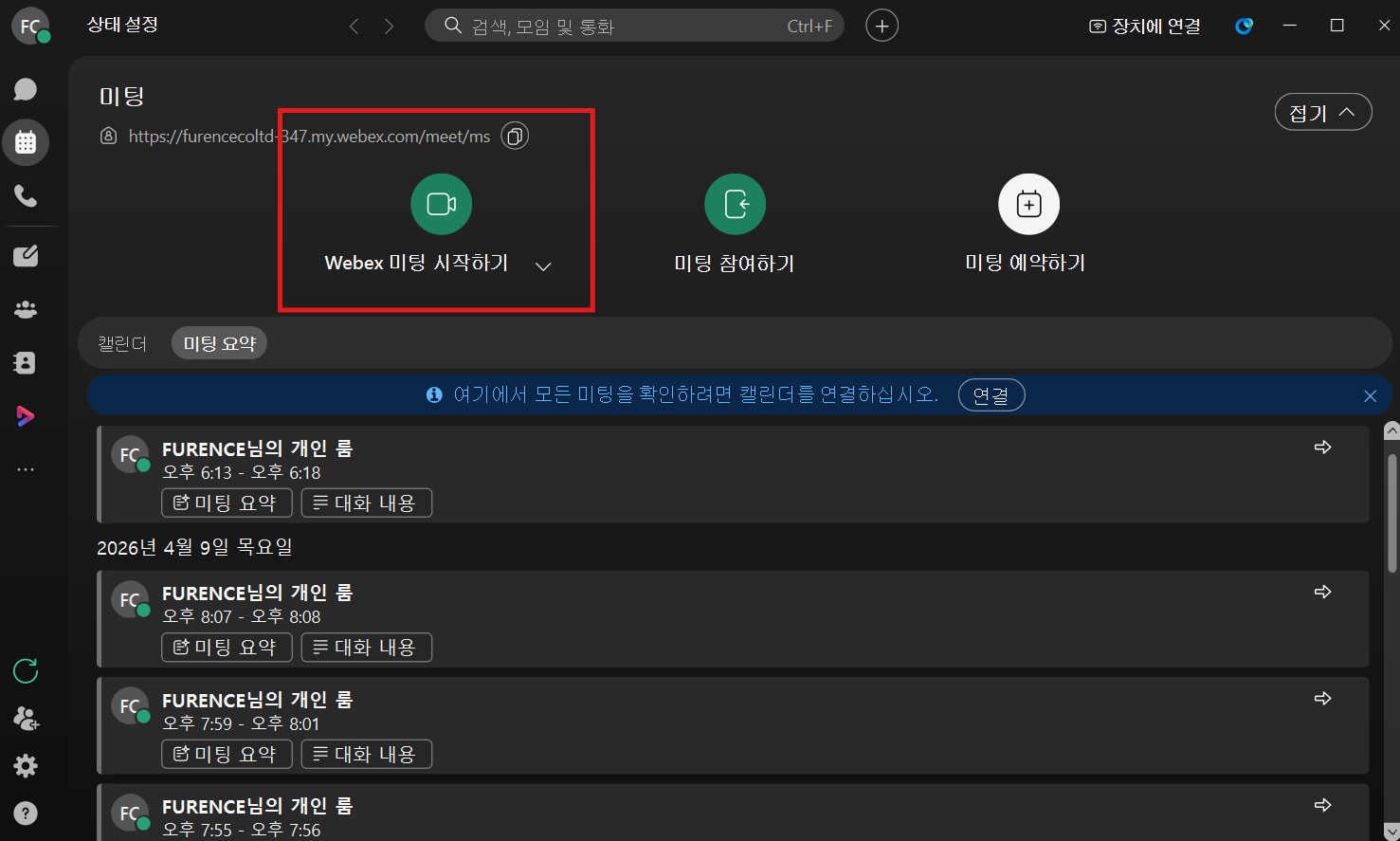
1. Webex에서 'Webex 미팅 시작하기'를 눌러 회의를 시작합니다.<br>

<figure><img src="https://content.gitbook.com/content/ntTrIkRFMvghxT60zTcy/blobs/pFzuMz97Sn7gWoEsdLDB/image.png" alt=""><figcaption></figcaption></figure>

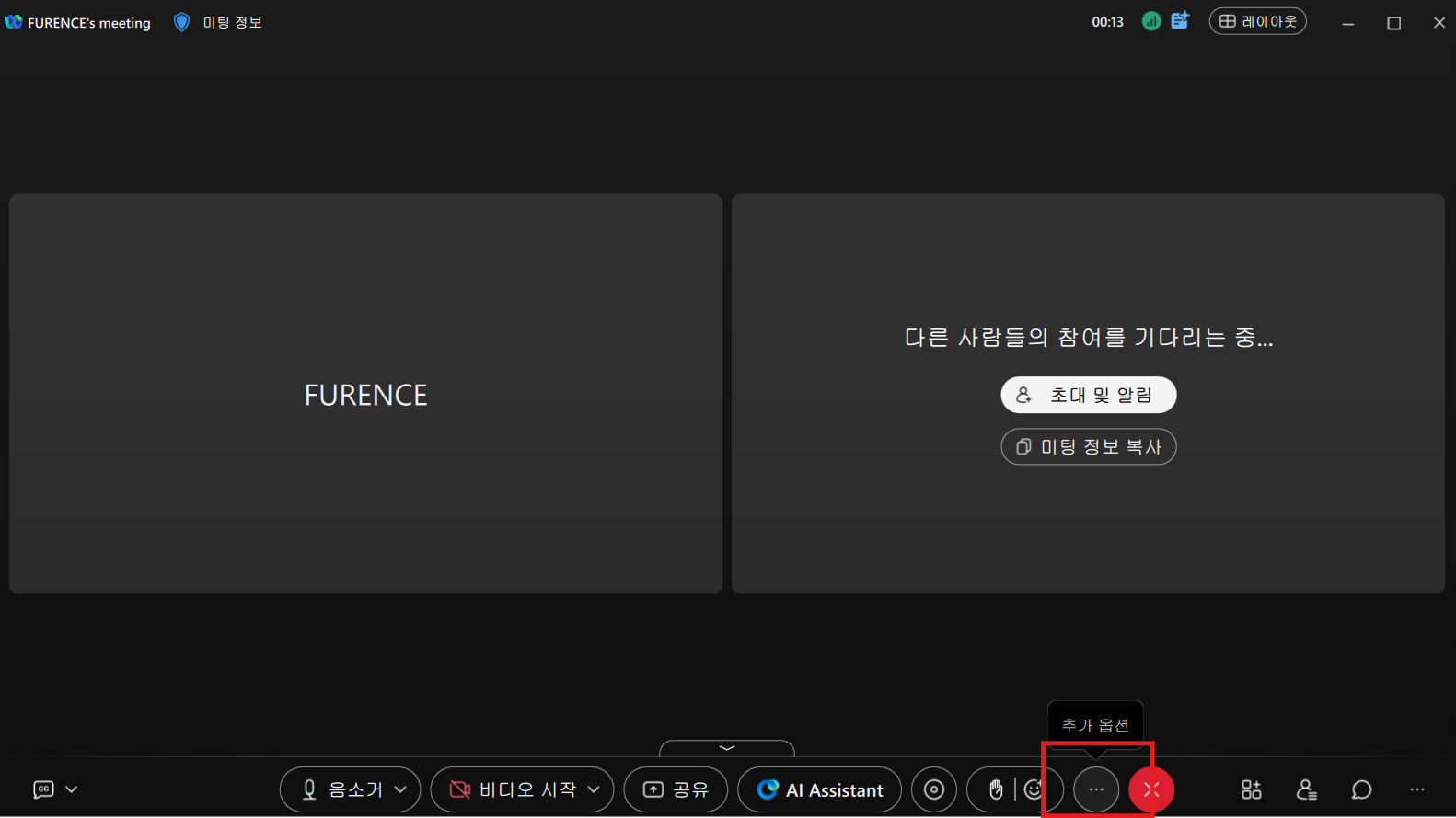
2. 회의 화면 하단의 더보기(···) 버튼을 클릭합니다.<br>

<figure><img src="https://content.gitbook.com/content/ntTrIkRFMvghxT60zTcy/blobs/UIj1BUdJTogz1DLyqAav/image.png" alt=""><figcaption></figcaption></figure>

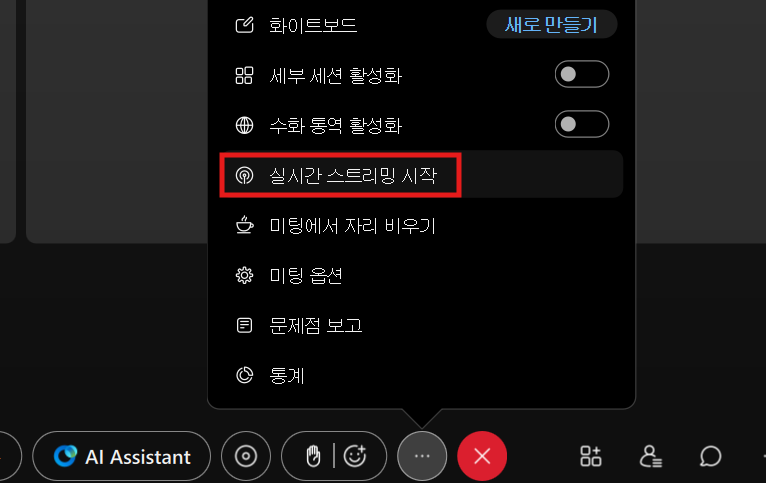
3. 메뉴에서 '실시간 스트리밍 시작'을 클릭합니다.<br>

<figure><img src="https://content.gitbook.com/content/ntTrIkRFMvghxT60zTcy/blobs/rQ5qMQNbQsMaEod51Sgy/image.png" alt=""><figcaption></figcaption></figure>

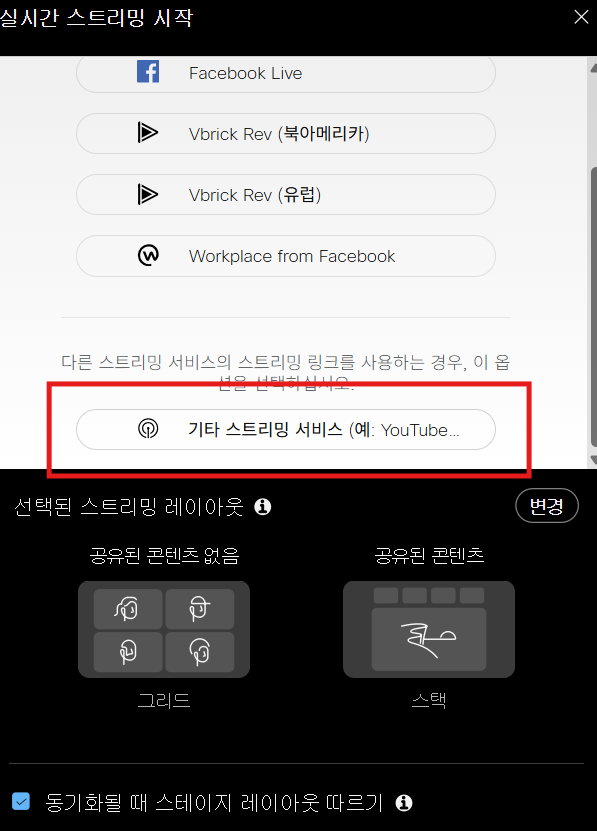
4. 스트리밍 서비스 목록에서 '기타 스트리밍 서비스'를 선택합니다.<br>

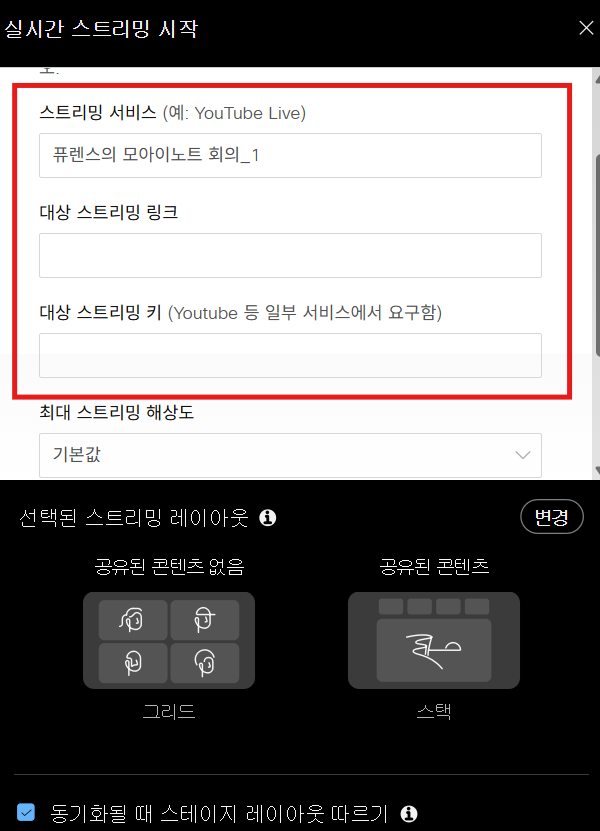
<figure><img src="https://content.gitbook.com/content/ntTrIkRFMvghxT60zTcy/blobs/ElIuFr1bJQ08bNsWj9Gd/image.png" alt=""><figcaption></figcaption></figure>

5. 스트리밍 서비스명, 대상 스트리밍 링크, 대상 스트리밍 키 입력 화면으로 이동합니다.<br>

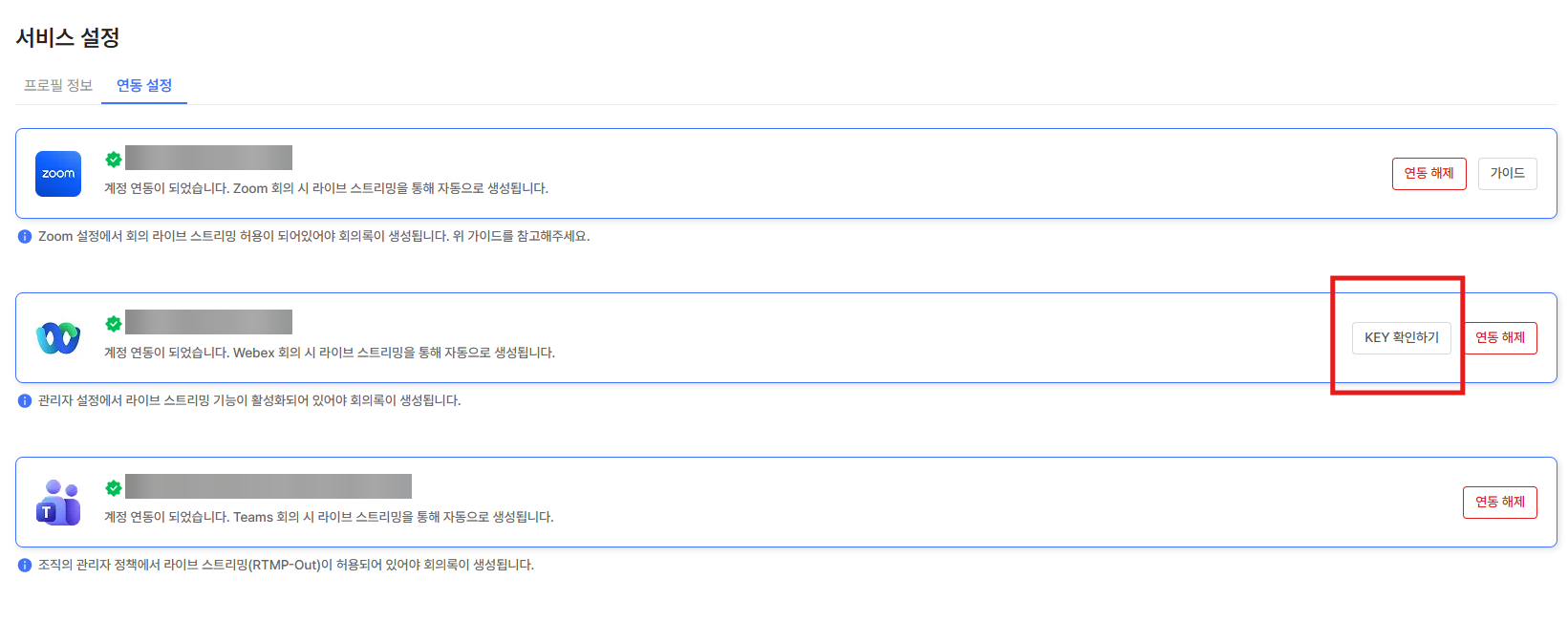
<figure><img src="https://3334630763-files.gitbook.io/~/files/v0/b/gitbook-x-prod.appspot.com/o/spaces%2FntTrIkRFMvghxT60zTcy%2Fuploads%2Fgit-blob-a24494c7ea1f1fd7c4089a73669b953f739f69ec%2Fimage.png?alt=media" alt=""><figcaption></figcaption></figure>

6. 모아이노트 서비스 설정 화면에서 Webex 항목의 'KEY 확인하기'를 클릭합니다.<br>

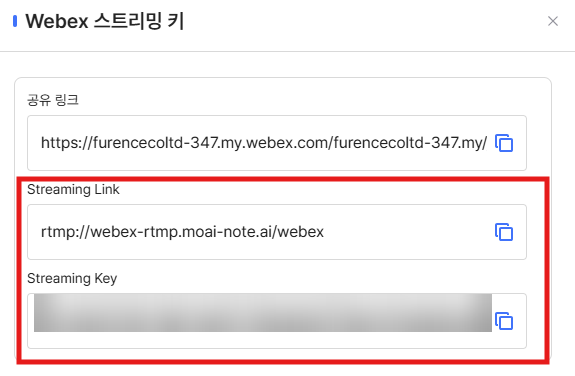
<figure><img src="https://3334630763-files.gitbook.io/~/files/v0/b/gitbook-x-prod.appspot.com/o/spaces%2FntTrIkRFMvghxT60zTcy%2Fuploads%2Fgit-blob-6a2ff68a3dfa8b1791b2aceb44b3d93822e8545f%2Fimage.png?alt=media" alt=""><figcaption></figcaption></figure>

7. 표시된 Streaming Link와 Streaming Key를 복사해 Webex 실시간 스트리밍 입력창에 붙여넣습니다.<br>

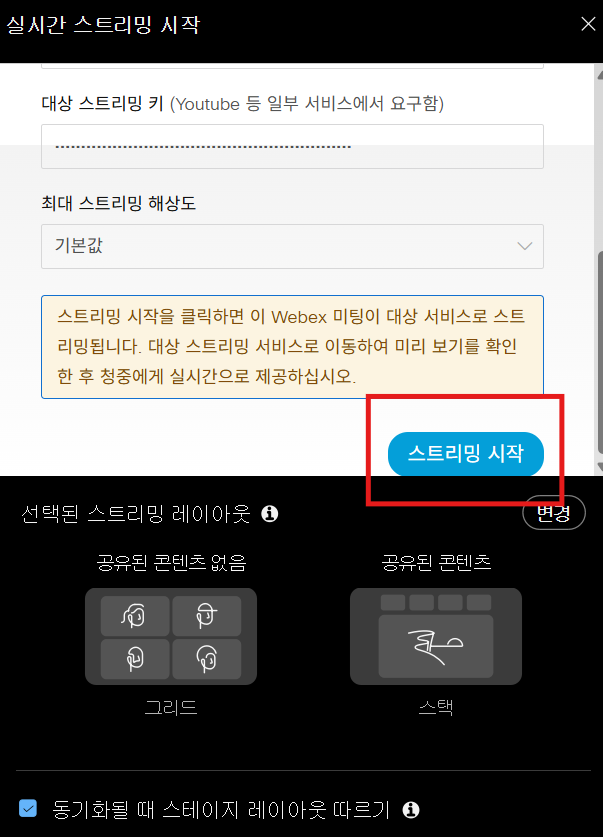
<figure><img src="https://content.gitbook.com/content/ntTrIkRFMvghxT60zTcy/blobs/IPMio3QSIq7sUbG6hmLy/image.png" alt=""><figcaption></figcaption></figure>

8. 입력이 끝나면 하단의 '스트리밍 시작' 버튼을 클릭합니다.<br>

<figure><img src="https://content.gitbook.com/content/ntTrIkRFMvghxT60zTcy/blobs/boIdOjjSnHs3HVKZpaDj/image.png" alt=""><figcaption></figcaption></figure>

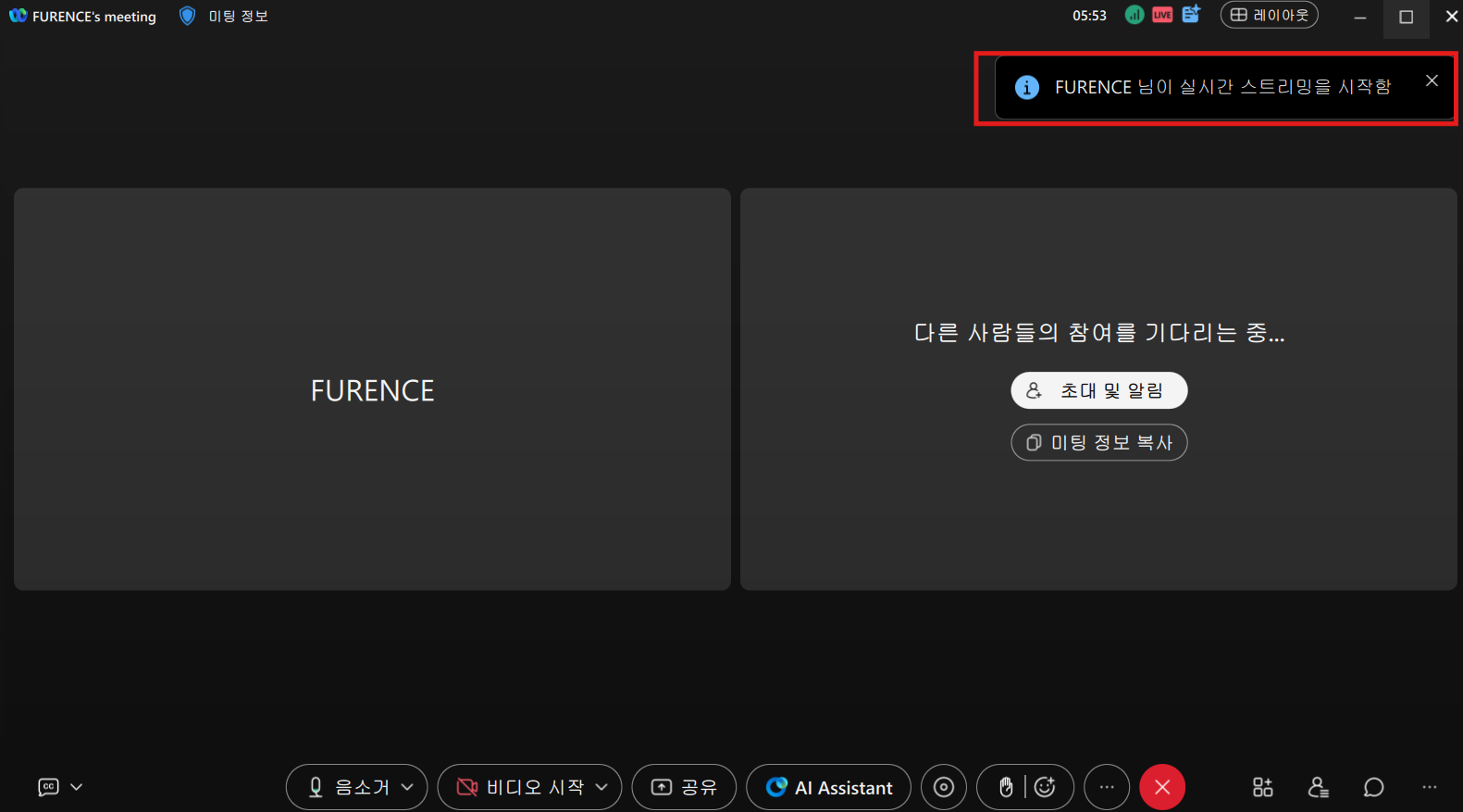
9. 우측 상단에 실시간 스트리밍 시작 안내가 표시되면 모아이노트 연동이 완료되며 회의 녹음이 시작됩니다.
10. 회의가 종료되면 자동으로 MoAI Note에 회의록이 생성됩니다.